Is Chrome Remote Desktop HIPAA compliant?
 By David Freeland4 min read ·

Her last day
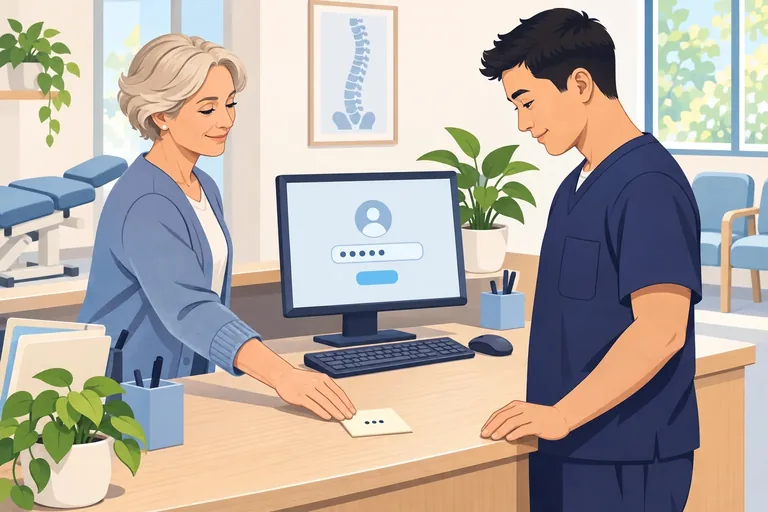
Your insurance coordinator has been with you for four years. Today is her last day. She hands back her key, hugs the team, and promises to stop by.
What nobody collects is the remote access she set up two years ago. On busy weeks, she finished insurance checks from home. So she installed Chrome Remote Desktop on the back-office computer and linked it to her own Google account. Tonight, it still works.
She would never misuse it. That isn’t the point. Nobody at the clinic knows that door is there, so nobody thinks to close it.
Why free tools leave the door open
A business remote tool works like a hotel keycard. Each guest gets their own card. The hotel can see when each card is used and shut it off at checkout.
A free remote tool is more like a key copied at the hardware store. It opens the same door. But nobody keeps a list of who has one, and nobody can shut it off from the lobby.
Here’s what that looks like in a clinic:
- The access belongs to a person, not your clinic. When someone sets up Chrome Remote Desktop, Google has them “Confirm the Google Account” and choose a PIN. The computer then shows up under that account’s “My Computers.” Google gives administrators control over Chrome Remote Desktop for the accounts their organization manages. A personal Gmail account has no administrator.
- Free TeamViewer isn’t for business. TeamViewer says the free version is for “helping family and friends.” Using it for your business or profession “requires a subscription license.” When TeamViewer flags a device as commercial, connections to it stop working. That can happen in the middle of a busy day.
- The account is the real key. A remote tool is only as safe as the account behind it. If someone breaks into the Google account tied to Chrome Remote Desktop, they’re one PIN away from the clinic computer. If they take over the email behind a TeamViewer login, they can often reset its password, because TeamViewer sends the reset link by email. And your clinic can’t require MFA on a personal account it doesn’t manage.
- Security software often won’t notice. CISA, the nation’s cyber defense agency, says the use of legitimate remote tools like these “generally does not trigger antivirus or antimalware defenses.” To your computer, an attacker using one can look like a normal remote session.
- Scammers count on them. In a scam CISA described in January 2023, criminals sent “help desk-themed phishing emails.” Victims downloaded a remote tool, and the criminals used it to trick them into sending money from their own bank accounts. In 2025, the FBI received 47,794 complaints about scams posing as technical support, with $2,134,675,818 in losses.
Where free tools fall short of HIPAA
HIPAA doesn’t ban any tool, and it doesn’t name one. It sets out what your clinic has to be able to do. A free tool set up under one person’s account makes that hard to show.
- A login for each person: 45 CFR § 164.312(a)(2)(i) requires “a unique name and/or number for identifying and tracking user identity.” When one person’s account or one shared PIN opens a computer, you can’t tell who actually connected.
- A record you can review: § 164.312(b) requires ways to “record and examine activity” in any system with patient information in it. § 164.308(a)(1)(ii)(D) adds that someone has to go over those records on a regular schedule. Ask whoever set up a free tool to show you who connected over the past 30 days.
- Access that ends when the job does: § 164.308(a)(3)(ii)(C) asks for a way to cut off access once someone’s job ends. Access tied to a former employee’s own account doesn’t end on its own.
The HHS cybersecurity guide written for small practices also says to “audit the use of remote access software” on your clinic’s computers.
How to get remote access right
- Find what’s already there: Have your IT company look at every clinic computer for remote tools and remove the ones it didn’t set up.
- Use one business tool for everyone: Each person gets their own login with multi-factor authentication (MFA), a second proof of identity after the password. Ask for a tool that records who connected and lets your IT company turn off access in one place.
- Block the rest: CISA recommends letting only approved remote tools run. Have your IT company block the others. If a caller asks someone to install a remote tool, hang up and call your IT company yourself, using the number you know is real.
- Close remote access when someone leaves: Put it on your exit checklist, right next to collecting the key.
Remote access can make life easier for your team. Give them a door your clinic owns and can close the day someone leaves.
General information, not legal advice.
Last reviewed November 21, 2026.
References & statutory citations
- Google Chrome Help: Access another computer with Chrome Remote Desktop (no date shown). (opens in a new tab)
- Google Chrome Enterprise Help: Control use of Chrome Remote Desktop (no date shown). (opens in a new tab)
- TeamViewer: Reset Management: what counts as private and commercial use (no date shown). (opens in a new tab)
- TeamViewer Knowledge Base: Commercial use suspected (last modified May 11, 2026). (opens in a new tab)
- Google Chrome Help: Access another computer with Chrome Remote Desktop: connecting to a computer (no date shown). (opens in a new tab)
- TeamViewer Knowledge Base: Zero Knowledge Account Recovery (password reset by email link; last modified March 6, 2024). (opens in a new tab)
- CISA, NSA and MS-ISAC: Protecting Against Malicious Use of Remote Monitoring and Management Software (Cybersecurity Advisory AA23-025A, January 25, 2023). (opens in a new tab)
- FBI Internet Crime Complaint Center: 2025 IC3 Annual Report (Tech/Customer Support, complaint count and losses). (opens in a new tab)
- Code of Federal Regulations: 45 CFR § 164.312(a)(2)(i) and (b), Technical safeguards (revised as of October 1, 2025). (opens in a new tab)
- Code of Federal Regulations: 45 CFR § 164.308(a)(1)(ii)(D) and (a)(3)(ii)(C), Administrative safeguards (revised as of October 1, 2025). (opens in a new tab)
- HHS 405(d): Technical Volume 1: Cybersecurity Practices for Small Healthcare Organizations (2023 Edition; sub-practice 2.S.A). (opens in a new tab)